DC voltage monitor with alert notifications, A/C powered
DC voltage monitor with alert notifications, A/C powered
Couldn't load pickup availability
Monitor your battery or DC voltage level. Add smart notifications to send email and SMS alerts when voltage drops below your thresholds.
MySpool voltage monitor is powered by an A/C plug. It provides CONTINUOUS monitoring of DC voltage levels and sends alerts when thresholds are exceeded.
Three separate DC sources can be monitored at the same time, from 0.5 V to 48 V.
Only email and pushbullet alert notifications are supported. SMS notifications can be setup using email-to-SMS gateway, see instructions here.
INCLUDED: DC voltage monitor in a rugged enclosure, an A/C power cable.
Free Shipping
Battery and DC voltage monitor Setup
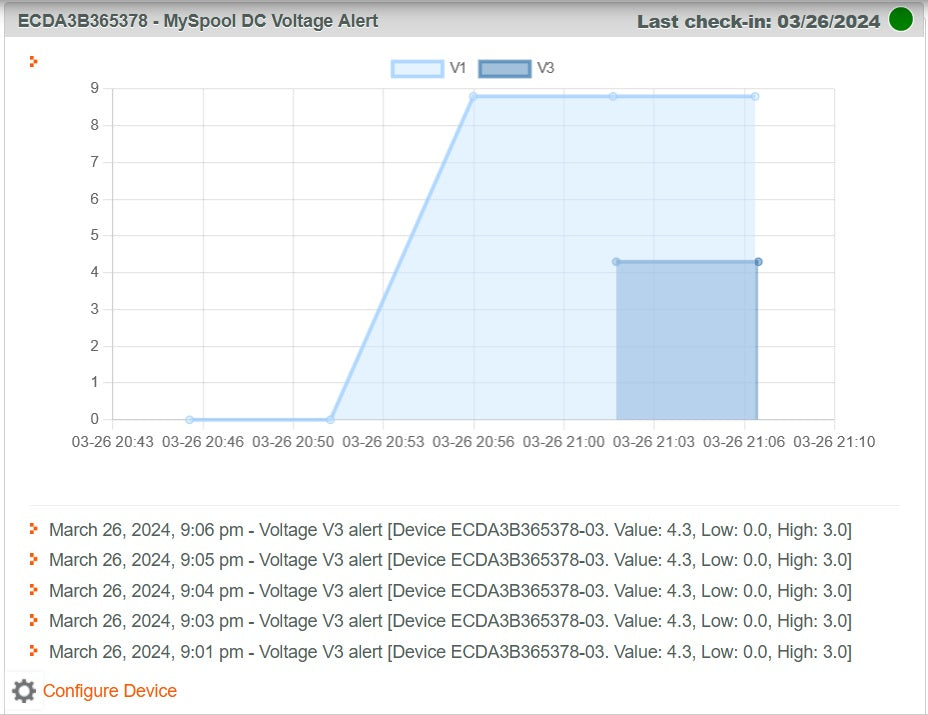
Note: This device sends data to the cloud every 5 minutes. For ENABLED voltage sources, measurements are plotted on a chart available on your MY DEVICES page.
After your device is setup, go to myspool.com->My Devices page and Enable sources as needed. Only V1 is enabled by default. So when DC Monitor is initially setup, without voltage at V1, after 5 minutes you should see a straight line showing 0V.
It is important to set High and Low thresholds for enabled sources so that alerts are sent only when thresholds have been exceeded.

Open your device and plug it into an outlet. You will see a steady blue light indicating that your device is ready to be programmed with WiFi information.
- Connect your device to WiFi. When connected, the LED inside the device will turn OFF. Close the lid and secure it with 4 screws.
- Login to your myspool account or Create a new account and click on email link to confirm it
- Find an email with subject "AWS Notification - Subscription Confirmation" and click the link inside to confirm your email subscription to receive alert notifications for this device
Important: after changes are made to Device Configuration, such as enabling a voltage source or changing a threshold value, unplug your device, wait for 10 seconds, and plug it back in. This will cause it to update its configuration setting from the cloud.
Please note that the MAXIMUM DC voltage that you can safely connect to this device is 48 VDC! Also, all readings below 0.5 VDC are ignored.
We hope that you find this device useful and share with us how and where you are using it.